How I use GlancePath with AI
This isn't a recommended workflow — it's simply the one I use myself, every day. GlancePath doesn't do the coaching. It captures what you write, and you decide where that goes next. Here's where mine goes.
Morning
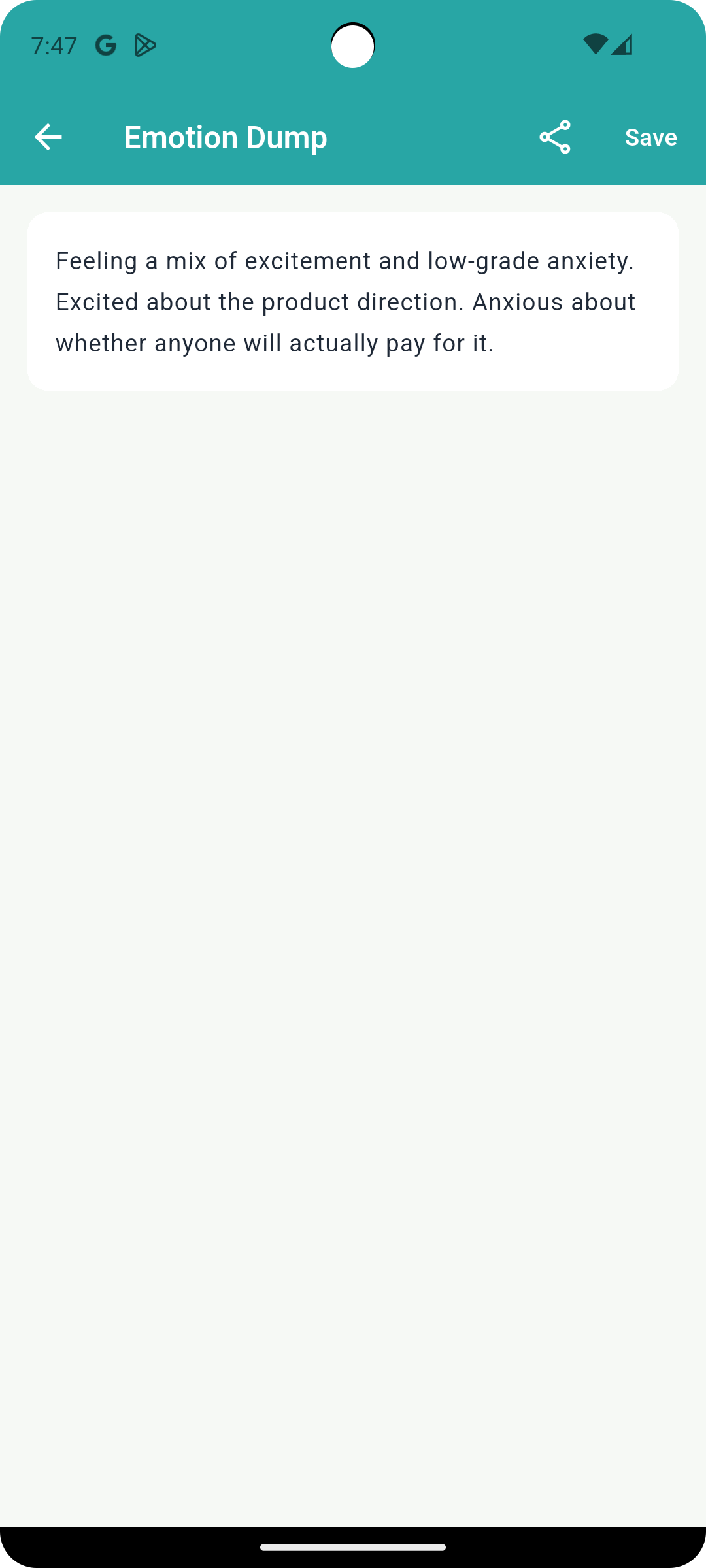
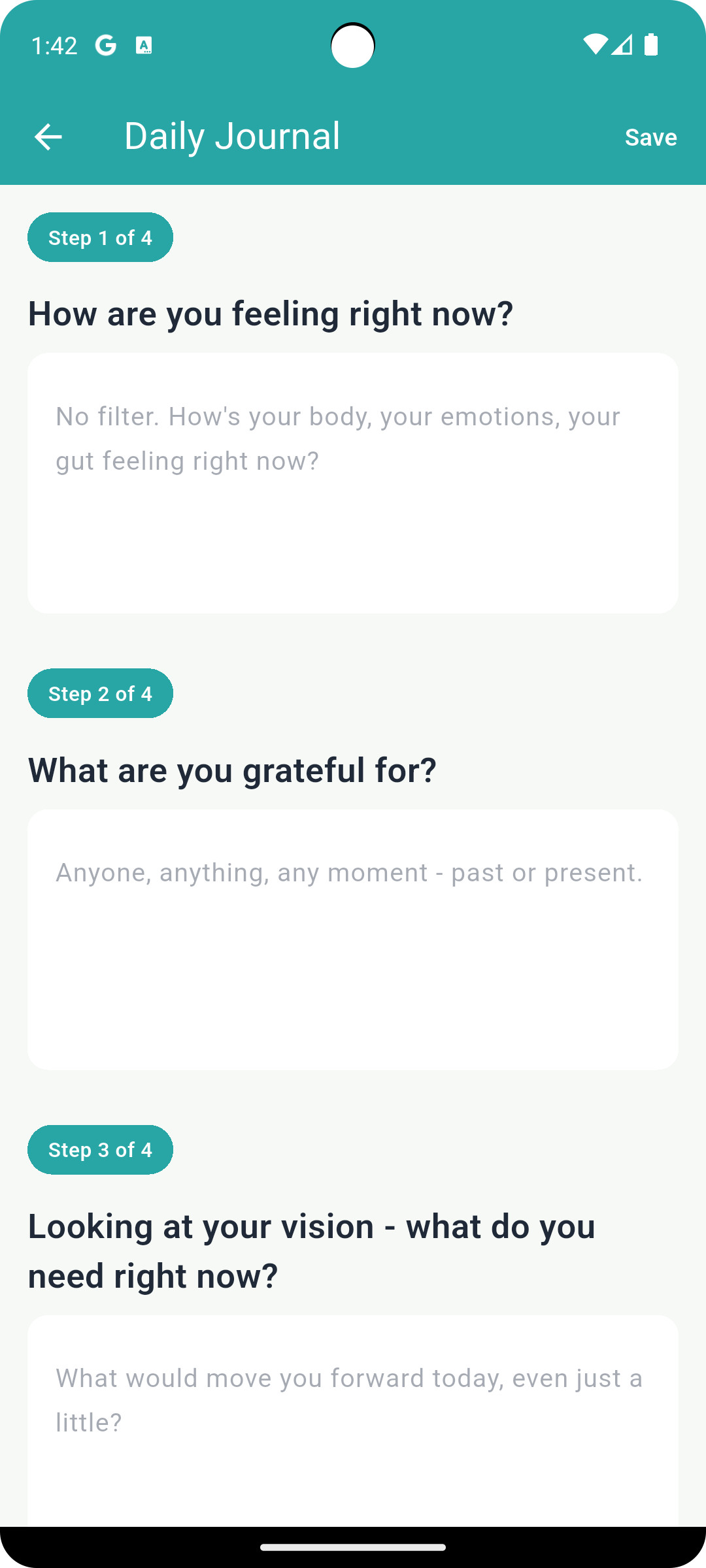
I start the day with Emotion Dump — whatever's on my mind, written without filtering it. Then I move into the 4-step Journaling flow, which walks me from how I'm feeling toward what actually matters today.
Exporting my entries
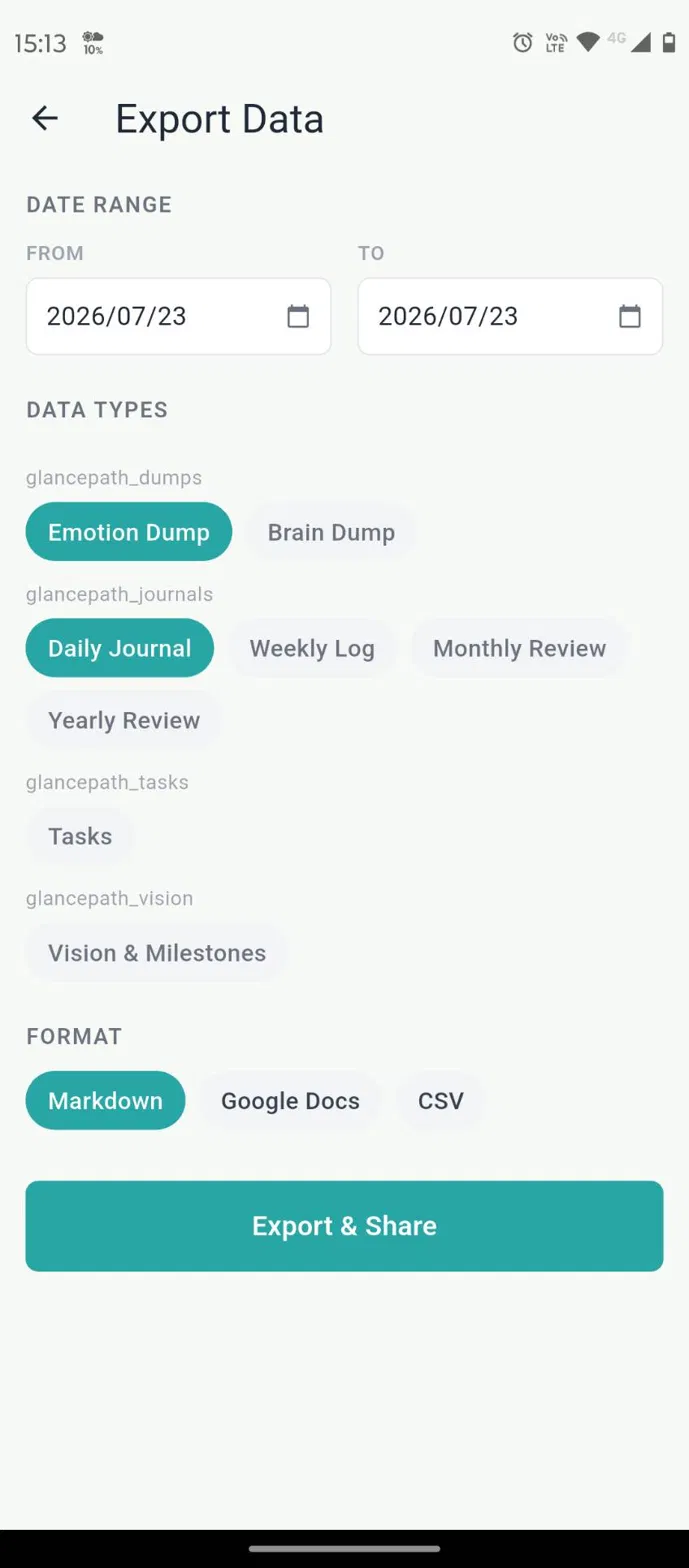
To export, I tap the gear icon in the top-right corner to open Settings, then choose Export Data. From there, I pick the date range and entry types, and export as Markdown.
Getting it into AI
I copy the entries as Markdown and paste them into Gemini Notebook — I use the browser version, since the mobile app won't let me rename sources. That's the whole process on my end.
Evening
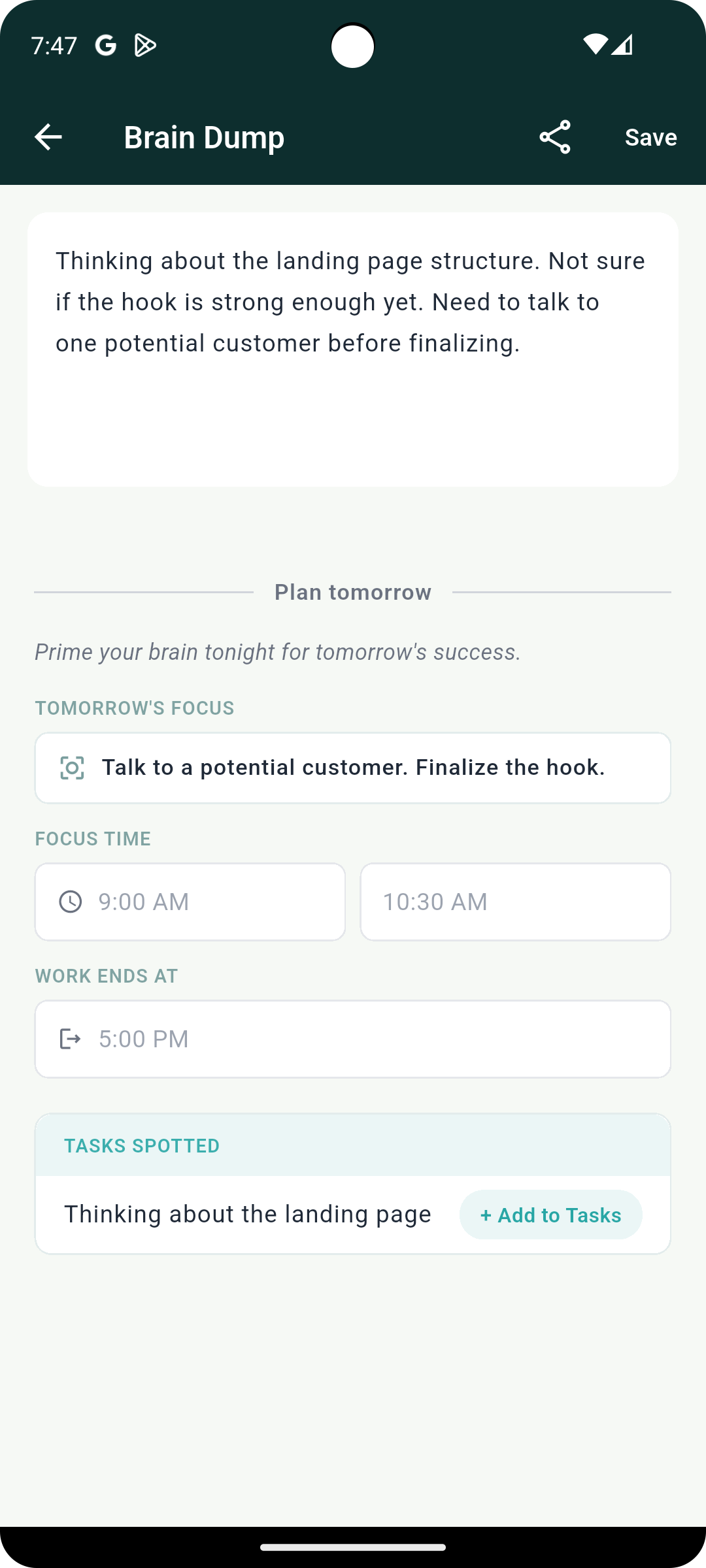
Before bed, I use Brain Dump to clear whatever's still sitting in my head, and set tomorrow's focus in a single line. It goes through the same export and paste — a second short coaching session to close the day.
Weekly Log, Monthly and Yearly Review, and Tasks can all be exported the same way. You can feed them into external tools as well.